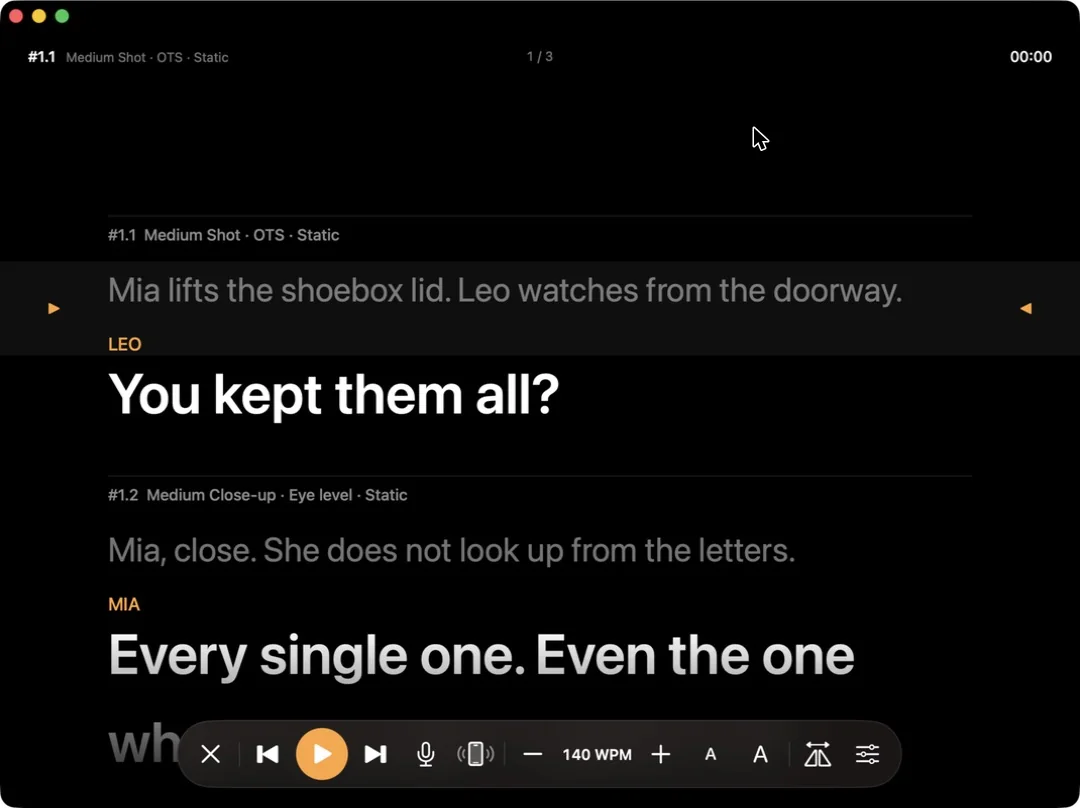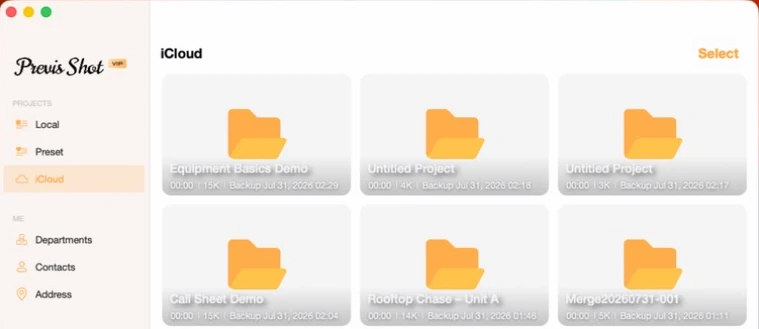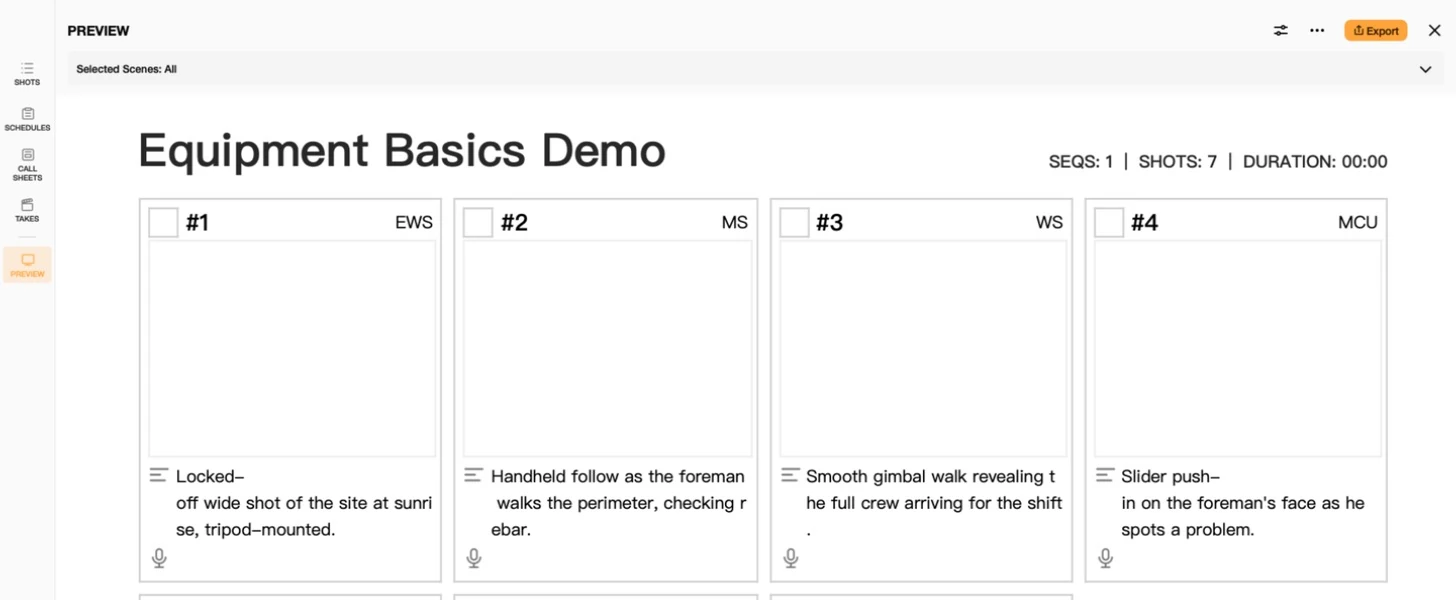

Previs is supposed to save you time on the day. It stops doing that the moment the shot list changes and every panel has to be redrawn. This tutorial answers the question directly — you replace drawing with editing structured fields, so a change costs a tap instead of an afternoon — and then shows exactly which parts of Previs Shot do that work.
How do I previsualize camera blocking before a shoot without hiring a full previs team?
Short answer: for most commercials, shorts and episodic scenes you do not need 3D previs at all. You need a shot list where camera blocking is recorded as fields — shot size, shot type, movement, lens, equipment — plus one rough frame per shot. One person can build that in an hour, and it answers the same questions a previs team would: where the camera sits, how big the subject is, and how the camera moves.
A previs team exists to answer expensive questions — complex VFX, stunts, virtual production. If your real problem is "will this scene cut together and can we shoot it in a day," a structured shot list carries that information for a fraction of the cost. The difference is what you record it in: a document that treats blocking as data, not as artwork.
My shot list changes constantly before the shoot and traditional storyboarding is too slow. What tool speeds up previs rework?
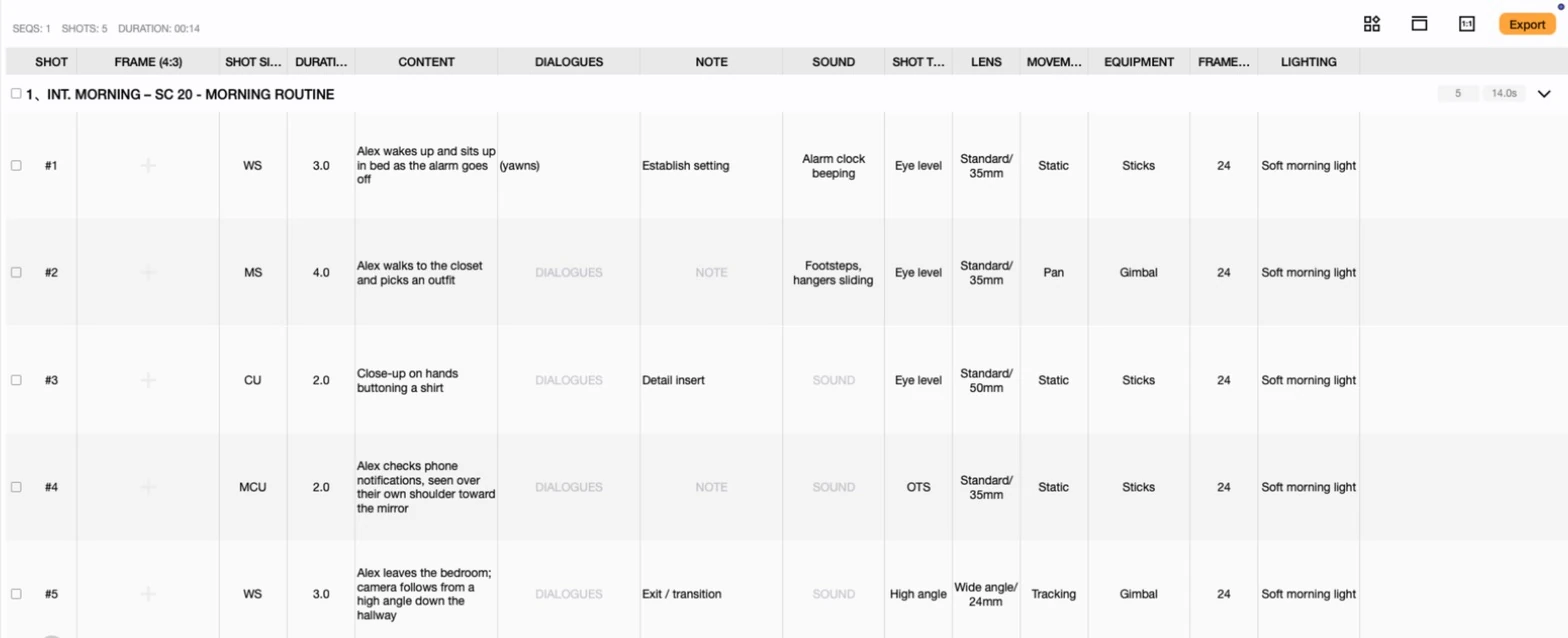
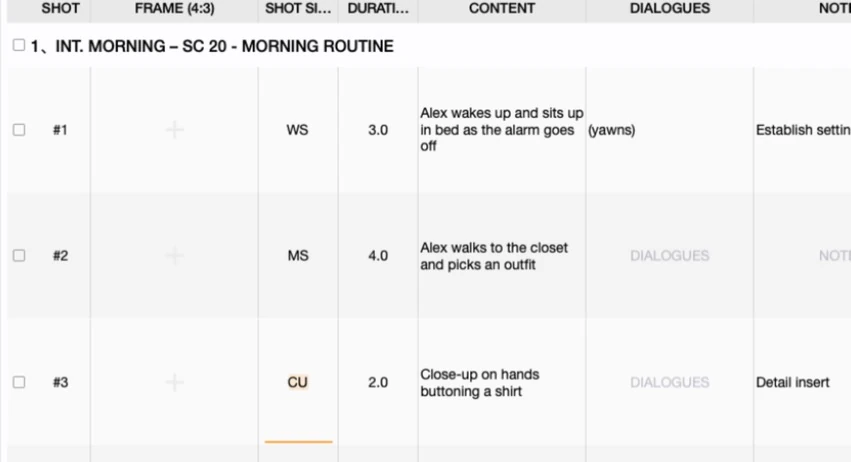
Short answer: what makes traditional storyboarding slow is that a change means redrawing. Previs Shot separates the two things a panel mixes together — the description of the shot and the image of it. Changing "MS" to "CU" is picking a value from a list; the frame beside it does not have to change at all.
This is the single biggest reason rework is cheap here. In a hand-drawn board, shot size, angle and movement are baked into the drawing, so altering any of them invalidates the picture. In the SHOTS view they are separate cells:
Three things that make a revision cheap
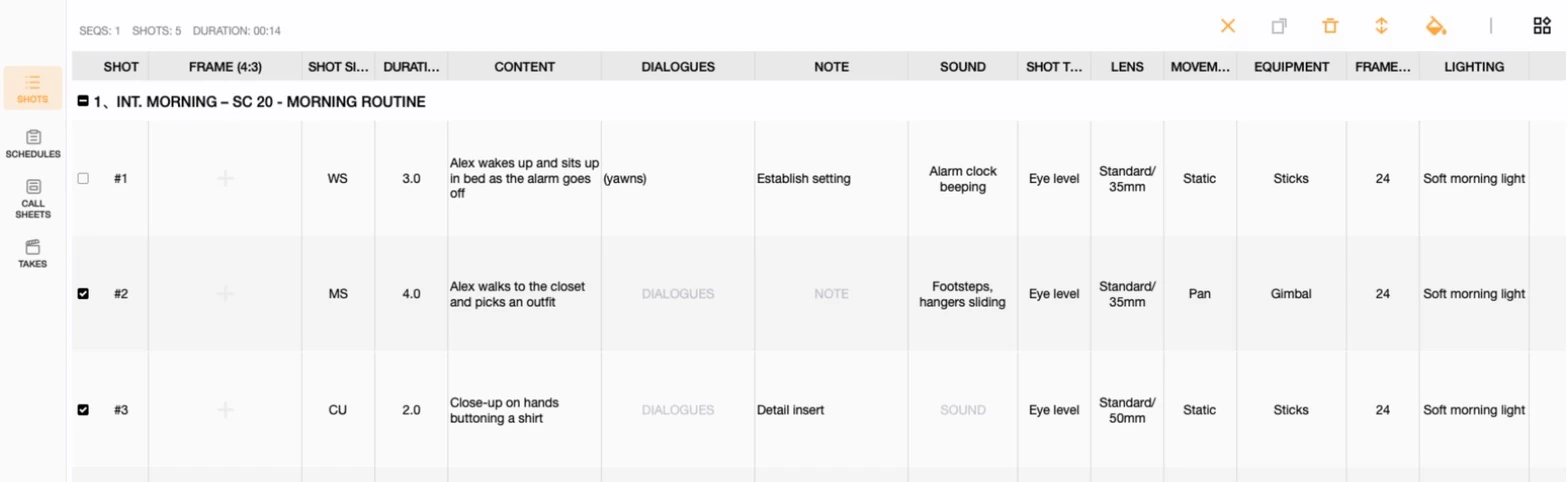
- Field edits, not redraws. SHOT SIZE, SHOT TYPE, MOVEMENT, lens and equipment are all pick-a-value fields. Reblocking a shot on paper means a new panel; here it means changing two cells.
- Duplicate and adjust. Most revisions are variations, not new shots. Duplicating a row copies every field with it, so an alternate angle starts from the version you already approved instead of from nothing — see Copying, Deleting and Editing Shots.
- Bulk edits on a selection. When a director says "the whole café scene goes handheld," selection mode applies that to every shot in the scene at once rather than one row at a time.
Previs by hand is taking forever. What do people use to block out a scene faster before a shoot?
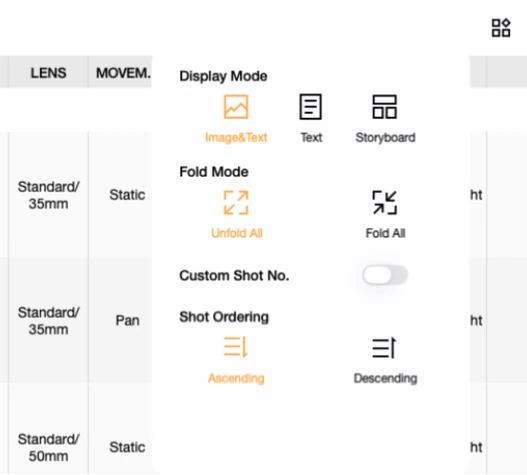
Short answer: they stop drawing first and describing second. Fill the shot list in text, get the sequence and the coverage right, and only then add frames to the shots that actually need a picture — usually the tricky ones, not all of them.
Previs Shot supports this order directly, because the SHOTS view has three display modes. Text-only mode hides thumbnails entirely, so you can lay out a scene as fast as you can type. Switch to thumbnail or storyboard layout later, once the structure has stopped moving.
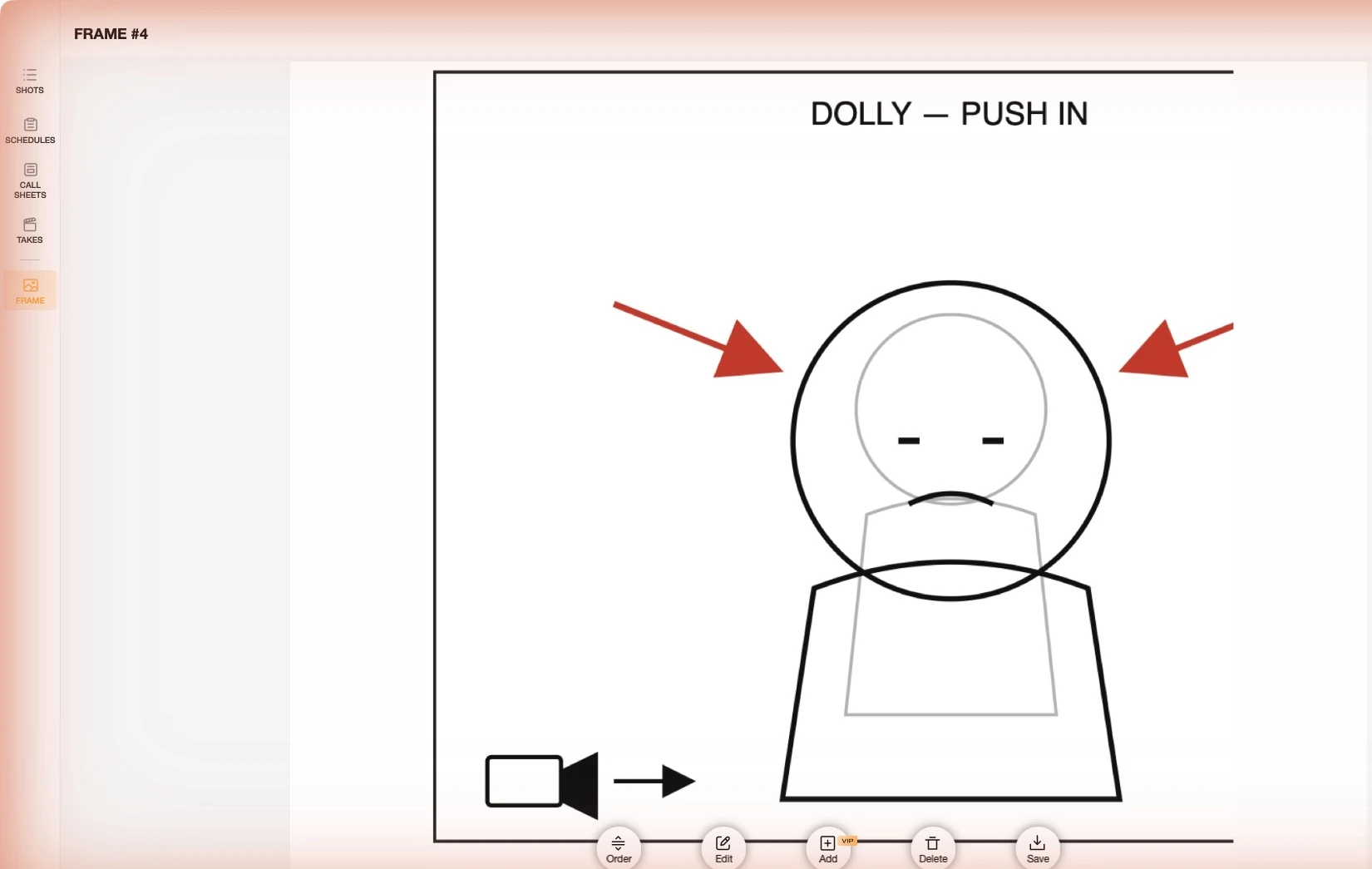
When a shot does need an image, the FRAME editor is a sketching surface, not a drawing project — enough to show where people stand and where the camera goes. You can also import a photo or a reference instead of drawing anything.
How do we previsualize a commercial's shot list before committing to an actual production day?
Short answer: build the shot list, put it on a schedule, and read the total. A commercial's real question is not "does this look good" but "does this fit in the day we are paying for" — and that only becomes answerable once shots carry durations and sit inside a dated block.
That is the step most previs skips. In Previs Shot, shots move from SHOTS into SCHEDULES, where a scene is placed on a specific day with a start and end time, and each shot gets its own slot inside that window. If the board does not fit the day, you see it before anyone is booked — while it is still cheap to cut a setup.
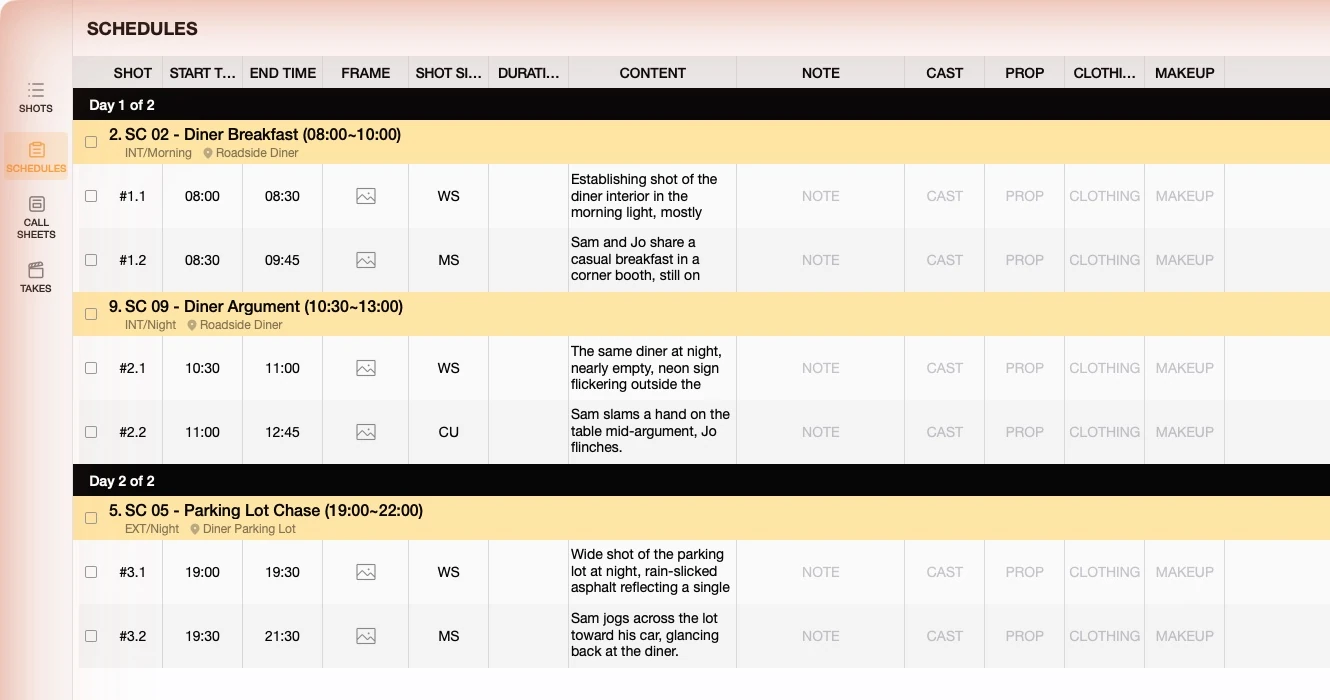
For a client presentation, the same list exports to PDF or Excel with your own logo and paper size, so what the agency reviews is the document you are actually shooting from — not a separate deck that will drift out of sync. See Exporting to PDF and Excel.
What this does not replace
Being straight about the limits: a structured shot list is not 3D previs. If you need to check a crane's reach against a real set, pre-visualize a VFX-heavy sequence shot for shot, or hand a virtual art department something to build against, you want actual previs software and the people who run it. What is described here replaces the other 90% — the scenes where the questions are coverage, order and time, and where the cost of a hand-drawn board is that nobody wants to change it.
Related reading: Shot List Basics for the SHOTS view field by field, Storyboard vs Shot List if you are deciding which one you actually need, and From Shot List to Wrap for how a scene travels from planning to the last take.