
Redefine Film Workflow
From the first storyboard to the final script log, a cross-platform collaboration system built for modern filmmakers. Fully supports Mac, iPad, and iPhone.
iPad/iPhone Version


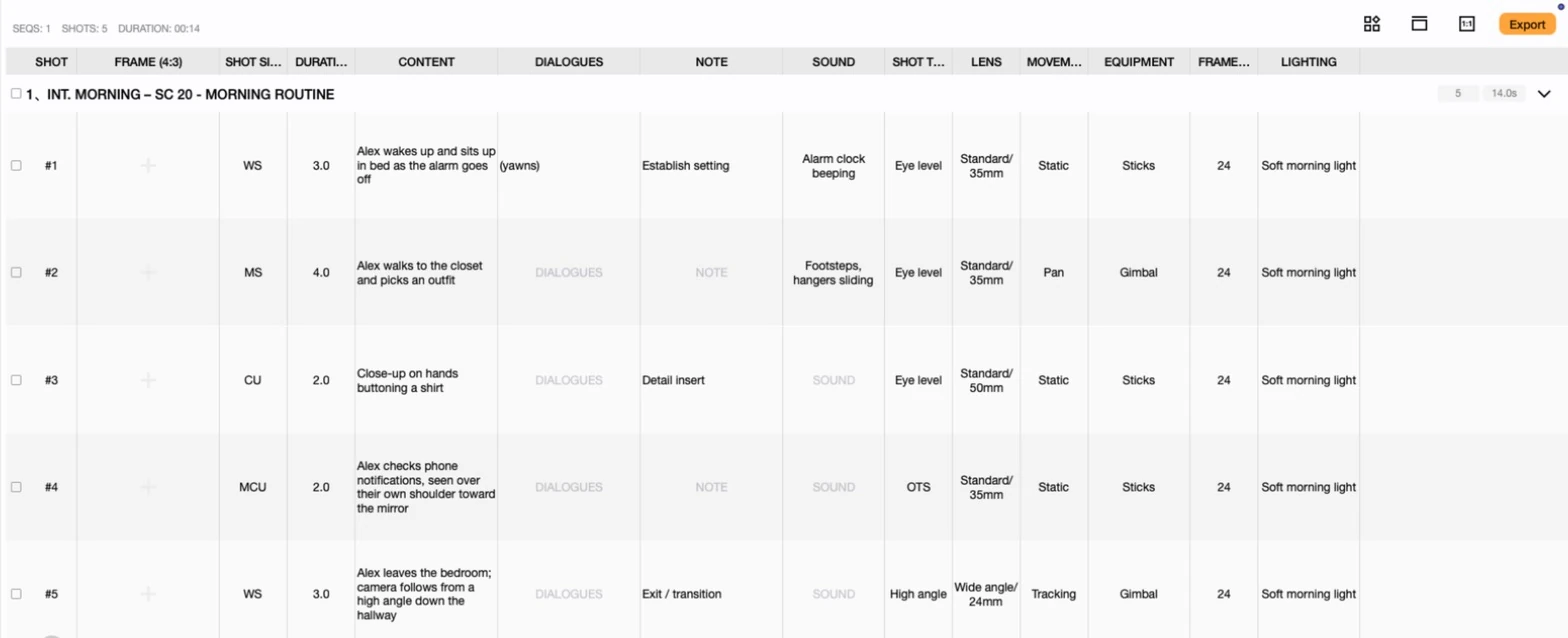
Every frame, fully specified.
Shot size, angle, movement, lens and duration travel with every shot.
Four modules, one goal:
Flawless execution.
Our core modules cover every critical stage from creative concept to on-set production.
- 01SHOTS
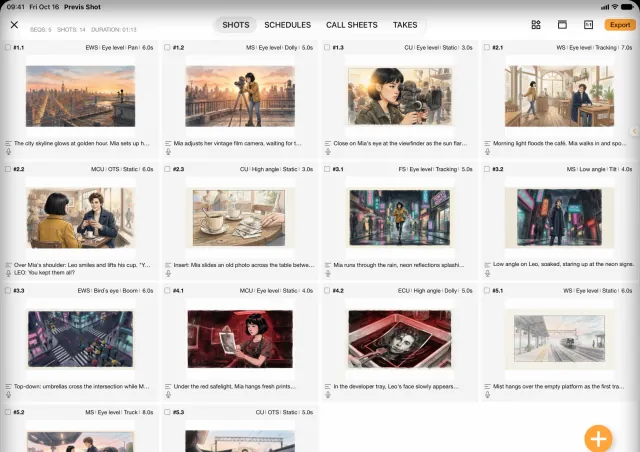
Storyboard
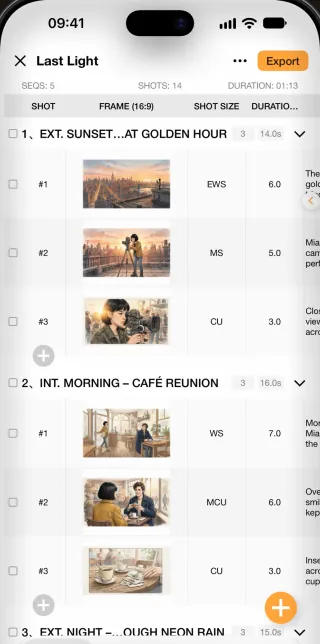
Visualize every shot. Supports hand-drawn import and assisted composition.
- 02SCHEDULES
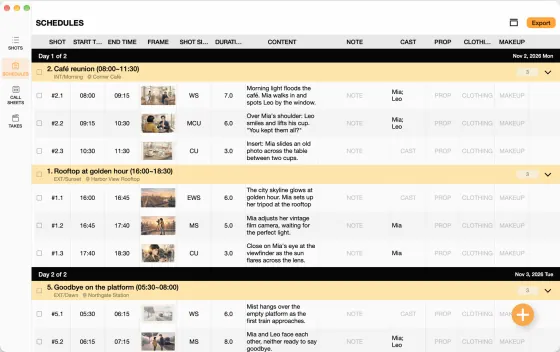
Schedule
Dynamically adjust shooting progress. Auto-optimize based on scenes, lighting, and cast availability.
- 03CALL SHEETS
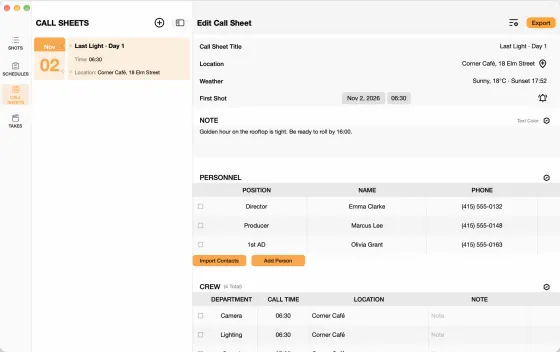
Call Sheet
One-click digital call sheet distribution. Real-time team confirmation tracking.
- 04TAKES
Script Log
On-set digital recording. Auto-generate daily shooting reports with seamless post-production handoff.
Teleprompter
meets storyboard.Every line, ready to read.
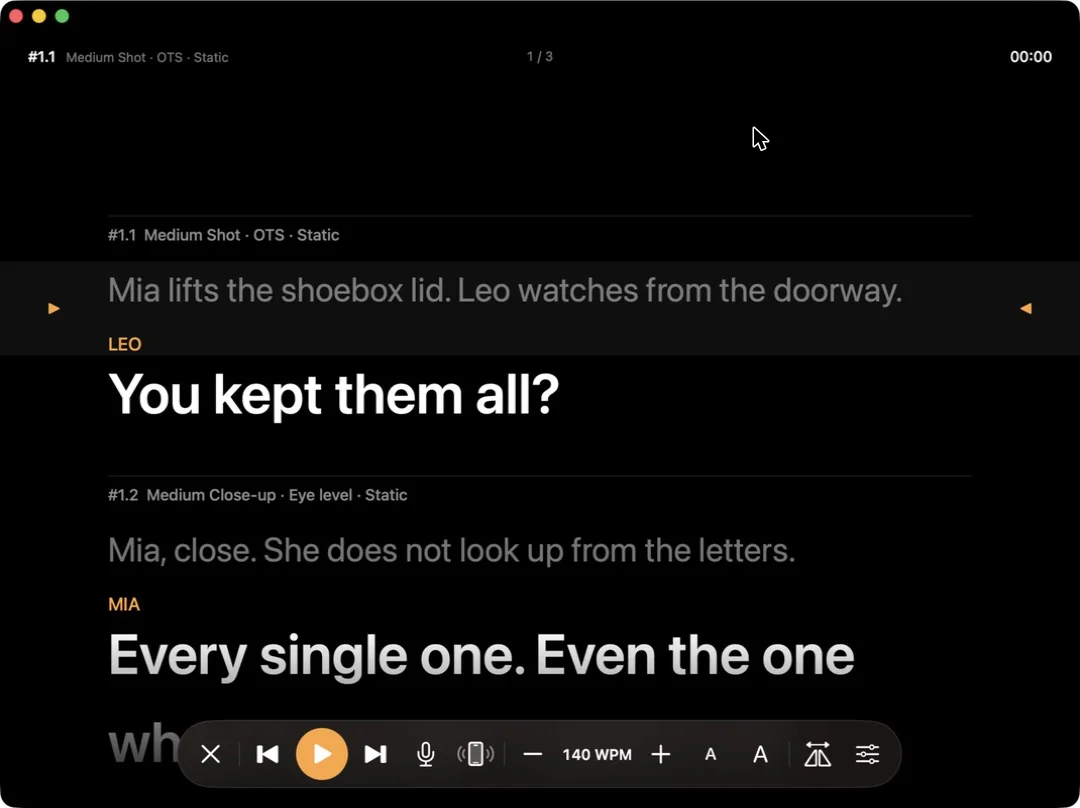
Every shot's dialogue becomes the teleprompter script, split shot by shot. Run it from a Mac or iPad, put an iPhone in the rig for the talent, and when the take ends the result goes straight into your takes.
- Voice tracking: the script follows the actor as they speak
- Works on Mac, iPad and iPhone — remote, mirrored talent view, external displays
- Standalone scripts: paste or import Word, PDF and Fountain
01 Shots→02 Prompt→03 Remote→04 Takes
- 01Shots
Shots
The lines are already in your shots — split by shot, with characters and stage directions marked.
- 02Prompt
Prompt
Scroll at a steady speed or page shot by shot; voice tracking keeps pace with the actor.
- 03Remote
Remote
Drive it from an iPhone, a Bluetooth page turner or a foot pedal; the talent view mirrors itself.
- 04Takes
Takes
Rate the take the moment it ends — the take and any line slips go straight into your log.
Talk to your storyboard.Powered by MCP.
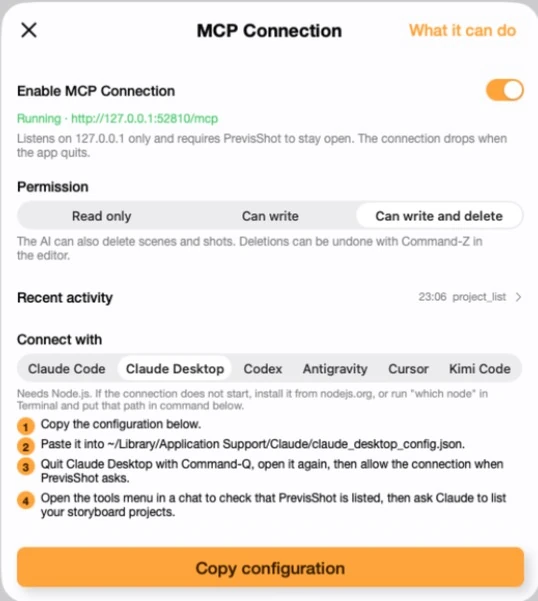
Connect Claude and other AI assistants directly to Previs Shot. Ask in plain language and watch it happen in your real project — no exports, no copy-pasting.
- Reads and edits your real project, live — not an export
- Read-only, write, or write-and-delete permission control
- Works with Claude Desktop, Claude Code, Cursor and more
Move tomorrow's shoot to the 12th and update the call sheet.
- schedule_assign_shots5 shots → 2026-07-12
- schedule_day_updateDay 1 → Jul 12
- callsheet_importcrew → Day 1
Done — moved 5 shots to Jul 12, call sheet updated and the crew list re-imported.
Learn shot lists, storyboards and call sheets
All platforms,
Always in sync.
Syncs through iCloud in seconds, and keeps working offline.
- MacPlan in depth at the office
- iPadSketch storyboards at the café
- iPhoneLog takes live on set
Ready to start your next masterpiece?
Free to download, on Mac, iPad and iPhone.
iPad/iPhone Version